Register return
Key features
- Register a return for an order in Merchant Center
- Choose how each returned row is refunded
- Handle returns on orders that include a campaign
Quick guide
- Go to Handle returns under Warehouse (WMS).
- Enter the Order ID and search.
- Click Mark row as returned on the product being returned.
- Choose the return code and refund method, adjust the amount if needed, and click Save.
Register a return
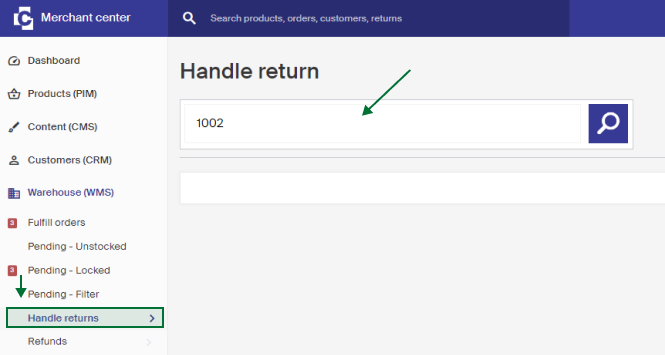
Go to Handle returns under Warehouse (WMS) in the menu. In the large field, enter the Order ID of the products being returned and press Enter or click the search icon.
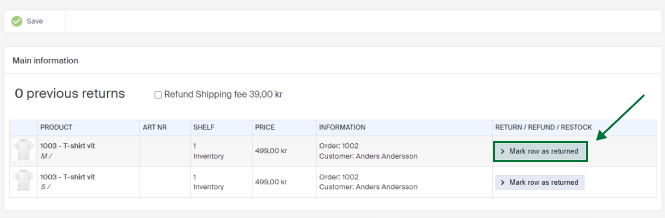
The products in the order are listed below. In the Return/Refund/Restock column, click Mark row as returned on the product being returned.
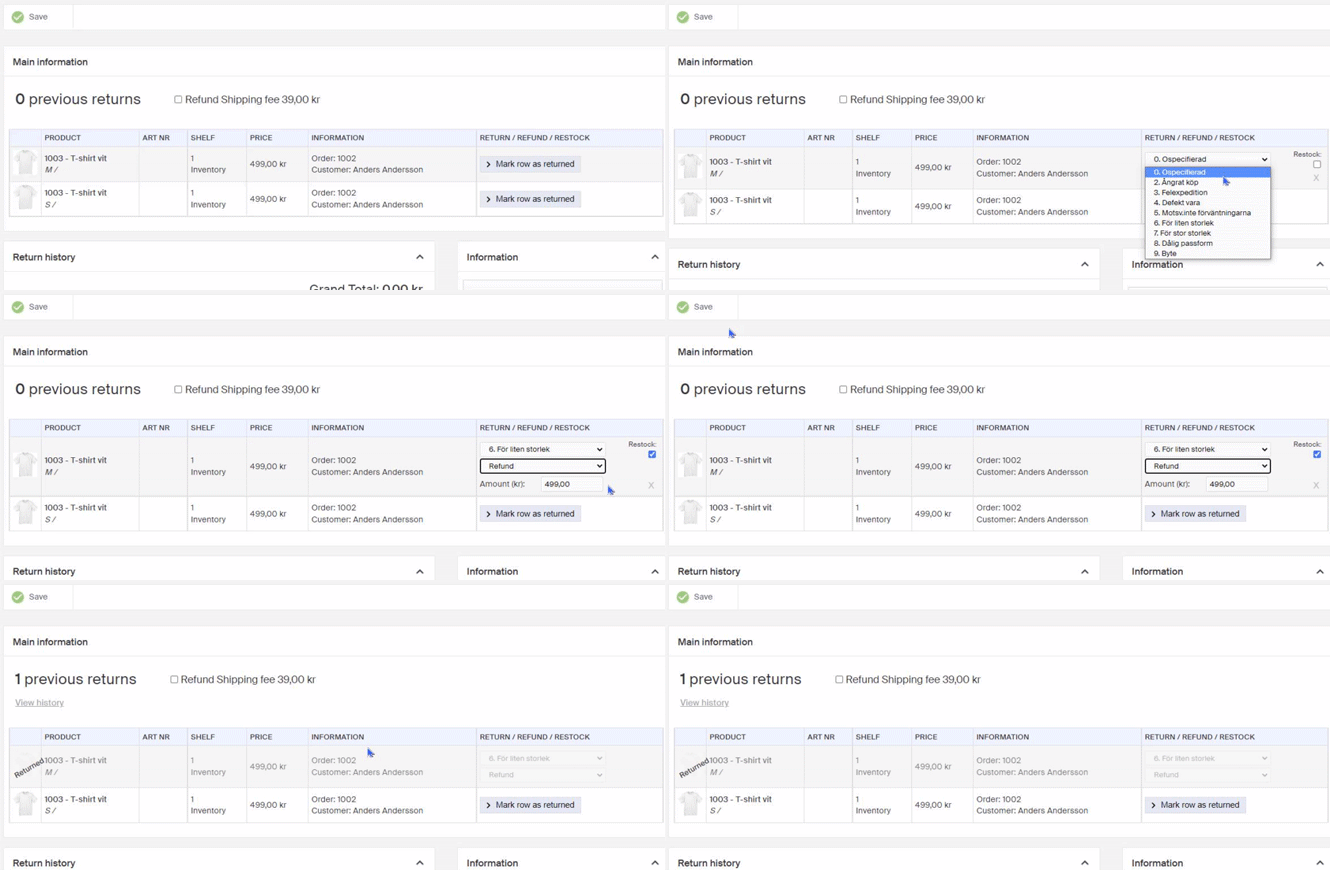
Choose the correct return code and how the refund is handled:
| Option | Description |
|---|---|
| No refund | No refund is made to the customer. |
| Refund to balance | The refunded amount is added to the customer's balance, which is used for future purchases they make while logged in. The customer can see their balance on their My Pages. |
| Refund | The customer is refunded via the payment method they used for the purchase. |
Then:
- If a refund is to be made, adjust the amount in the Amount field. It defaults to the product's full amount.
- If the product won't be restocked, for example if it has a defect, clear the Restock checkbox.
- To include the shipping cost in the refund, tick Refund Shipping fee.
Returns on an order with a campaign
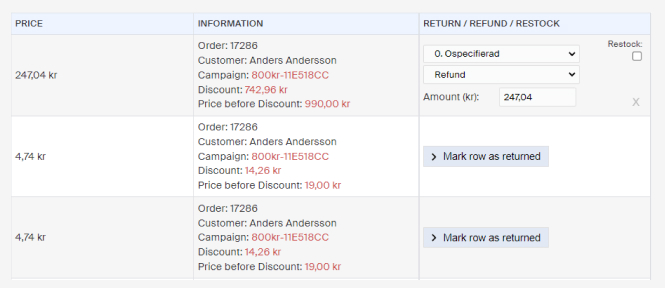
If an order has a campaign, it's shown in the information column. How the discount is distributed depends on the campaign type. A fixed discount amount is distributed proportionally across the return lines, so more expensive products get a larger share of the discount deducted. See the example below.
When you're done with the rows being handled, click Save. The customer then gets their money back. When the money reaches them depends on the handling you chose and the payment method they used.
Pending orders
When an order triggers Pending - Unstocked, Pending - Locked, or Pending - Filter, you have to manually handle and inspect it. A red marker appears in each box when an order is pending.
Return document to customer
There are two ways to configure how a customer gets their return documents: sent directly with the order on delivery, or sent on demand when the customer contacts you, by post or email.