General
Change carrier on an order
Change the shipping carrier on an order from the order's Shipping field, then save.
Key features
- Change the carrier on an existing order
- Find the order from the order list or the search bar
- Continue processing the order with the new shipping method
Quick guide
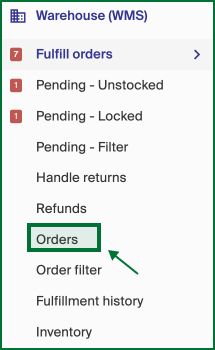
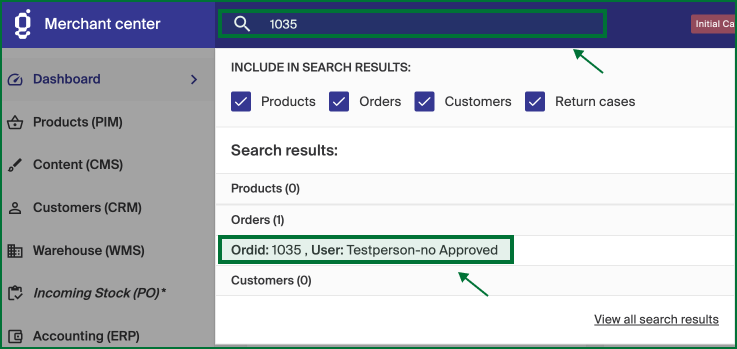
- Open the order from Warehouse (WMS) > Orders, or search for the order ID in the search bar.
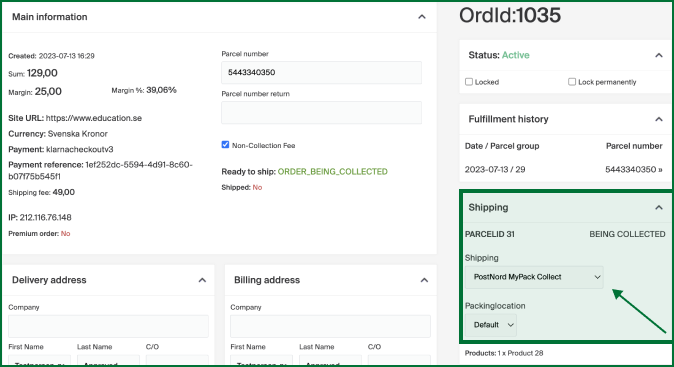
- In the Shipping field on the right, open the dropdown.
- Select the carrier you want to use.
- Click Save.
Open the order you want to change from Warehouse (WMS) > Orders.
You can also find the order with the search bar by typing in the order ID.
In the selected order, open the Shipping dropdown in the field on the right.
Select the carrier you want to use instead of the old shipping method, then click Save.
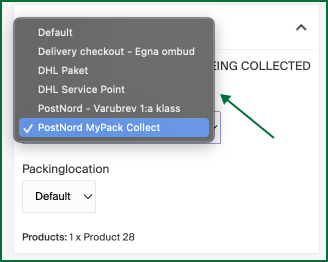
The order now has a new shipping method and you can continue finalizing it.