Product Editing
Find products in Merchant Center
Ways to effectively find the product you are looking for in Merchant Center.
Key features
- Find products quickly from the main search
- Filter the product list by any column
- Choose which columns are visible in the list
Quick guide
- In the main search, enter the product name, product ID, or article number (tick only Products for the most effective search).
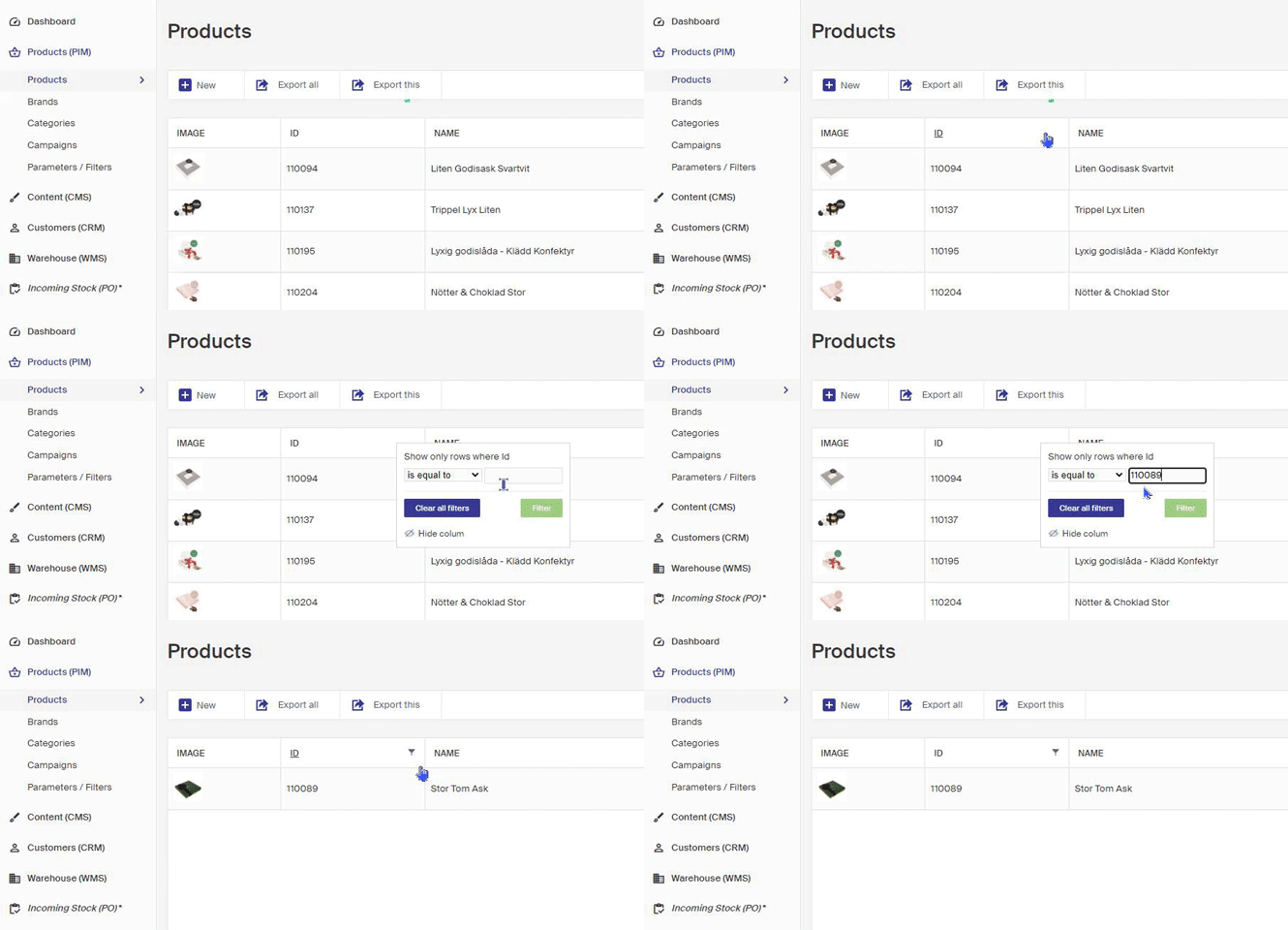
- Or go to Products (PIM) > Products and right-click a column heading to filter.
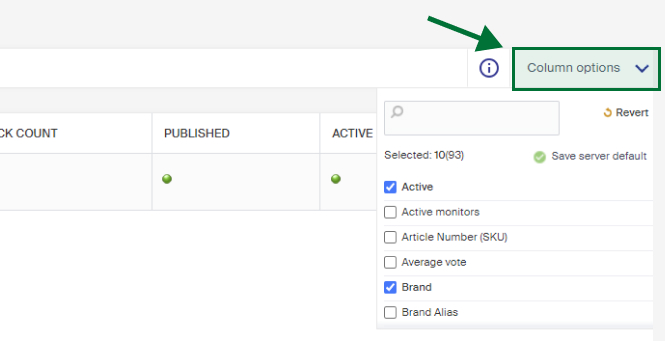
- Use Column options in the upper right to show or hide columns.
Search from the main search
In the main search, enter the product name, product ID, or article number of the product you want to reach. Tick only Products for the most effective search.
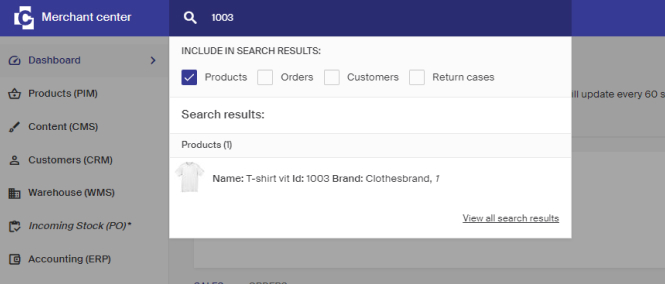
Filter the product list
- Go to Products (PIM) > Products in the left menu.
- Right-click a column heading to filter it. For example, right-click the Id heading and enter the ID you're looking for, the list filters to the matching product.
Control which columns are visible with Column options in the upper right. There you can show or hide the columns you want to work with.
To reset all filters, right-click any heading in the list and click Clear all filters.