Work With Imports
How to handle 404 pages via the Import tool
Redirect 404 pages to the correct URLs using the import tool, important for SEO and reducing bounce rates.
Key features
- Find 404 pages under Settings > 404 pages and export the list
- Redirect them to the correct URLs with the URLHistory template
- Important for SEO and reducing bounce rates
Quick guide
- Go to Settings > 404 pages and export the list of URLs.
- Build a file with the new URLs, or download the URLHistory template.
- Import the file via the Import Tool, mapping each column.
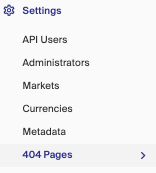
In the left menu of Merchant Center, open Settings, where you find 404 pages. This section shows which pages need adjustment and lets you export a list of URLs to help build a list of new URLs to import.
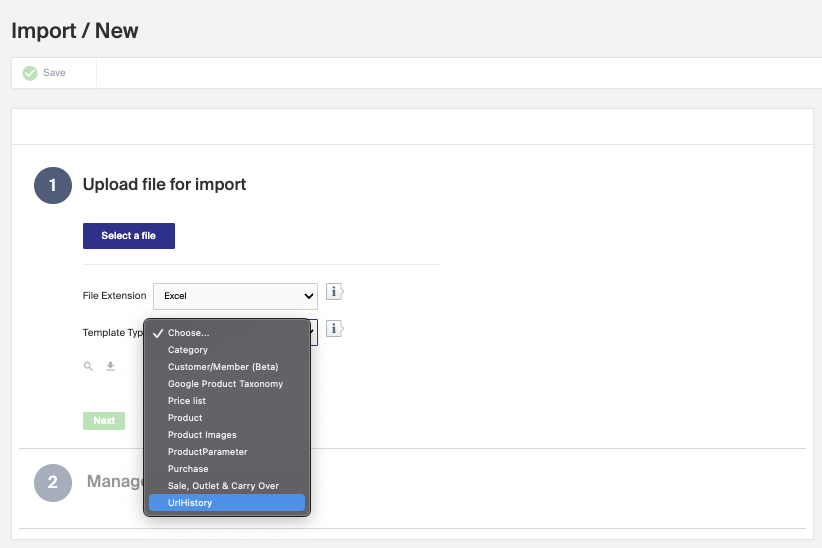
Once you have identified the 404 pages to redirect, use the Import Tool. You can create your own .xlsx or .csv file, or download the URLHistory template directly from the Import Tool.
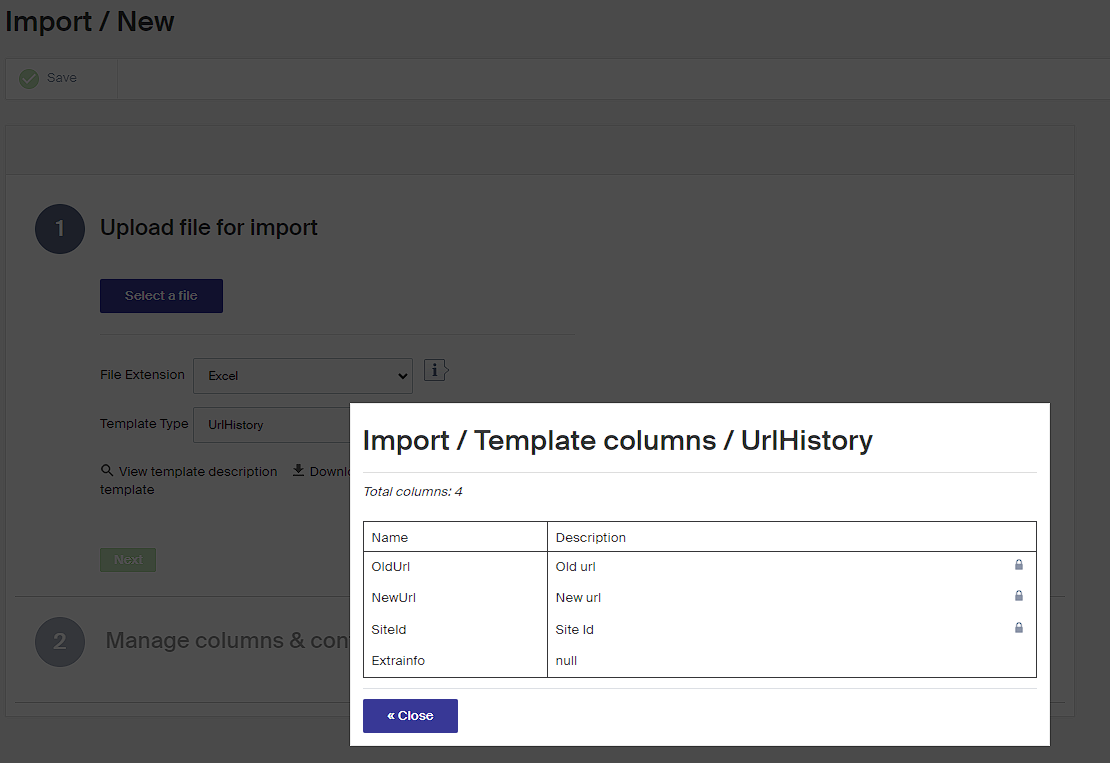
If you are unsure which fields to include, click View template description for a description of the columns the system recognizes.
Once you have mapped each column to the system requirements and started the import, the 404 pages are changed to the correct address from your file.