Customer Management
Generate new password to customers
When a customer has forgotten their password, generate a new one for them through Merchant Center.
Key features
- Generate and send a new password to a customer who forgot theirs
- The new password is sent to the customer's registered email address
- The password is auto-generated
Quick guide
- Go to Customers (CRM) > Customers.
- Find the customer and click Send new password.
- In the pop-up, click Send.
Go to Customers (CRM) > Customers.
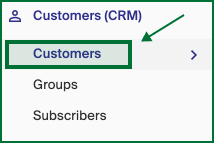
Find the customer who wants a new password in the list, then click Send new password.
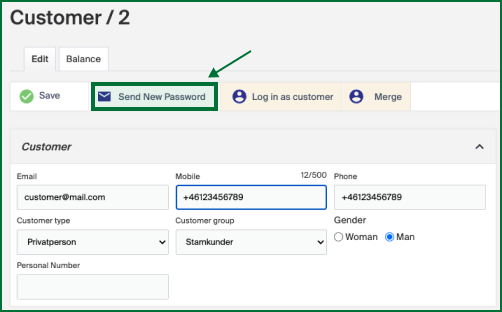
A pop-up window appears with the option to send a new password to the customer's registered email address. Click Send, and an auto-generated password is sent to the customer.
Find a customer in Merchant Center
Two fast ways to find the right customer in Merchant Center, using the main search or by filtering the customer list.
How to remove a customer
If a customer asks to be removed from the system, use the Anonymize Customer function in the customer view in Merchant Center.