Widgets Library
Text widget
Place text content in the store, separated into title, subheading, and body text, for pages such as purchase conditions.
Key features
- Place text content separated into title, subheading, and body
- Render the title and subtitle as heading types for SEO
- Useful for information pages, such as purchase conditions
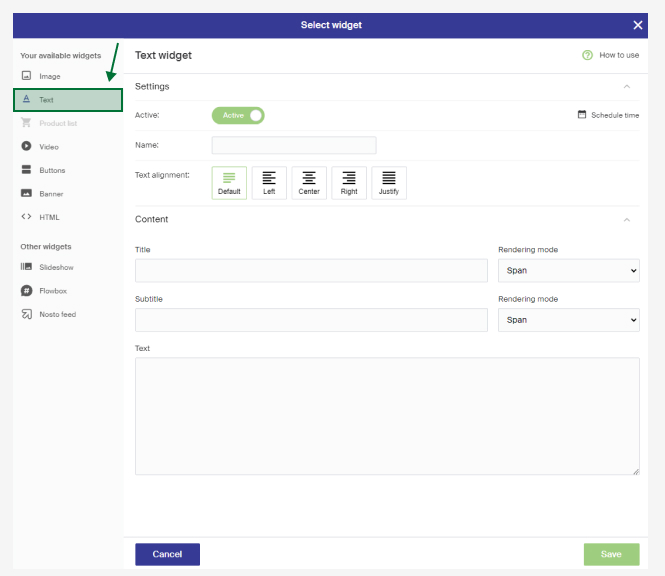
Settings
| Setting | Description |
|---|---|
| Name | An internal name, visible only in the widget overview in Merchant Center. |
| Text alignment | How the text is shown. Default is set by the store's design. |
| Title + Title render mode | The heading. You can render the title as a header type, which is useful for SEO. |
| Subtitle + Subtitle render mode | You can render the subtitle as a subheading type, which is useful for SEO. |
| Text | The body text. Use the return key for new rows. The field also accepts HTML, but use HTML with discretion, only if you know what you're doing, as it can break your markup. |
You can leave any field empty.