Widgets Library
Image widget
Place pictures in the store. The pictures can also be linked to any URL.
Key features
- Place pictures in the store
- Link a picture to an internal or external URL
- Set different pictures for desktop and mobile
- Schedule when the widget is shown
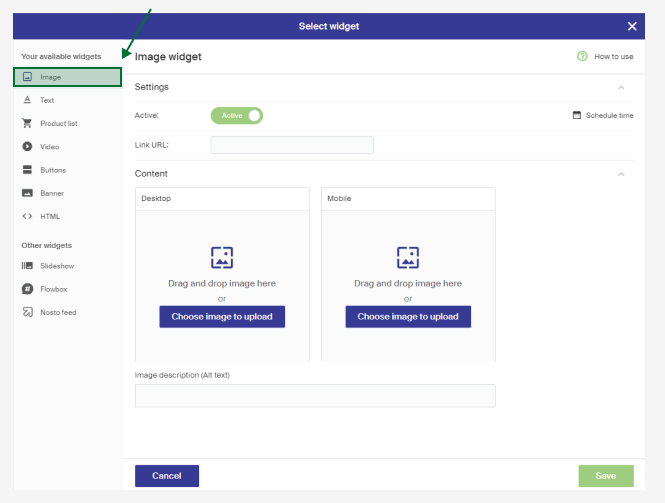
Settings
| Setting | Description |
|---|---|
| Active | Controls whether the widget is shown. Schedule time allows time-controlled publishing. |
| Link URL | The URL the picture links to. Can be external (e.g. https://www.example.com) or internal (e.g. /your-campaign-page). |
| Content | Upload the pictures to use. Upload a desktop picture first, which is the default. Upload a separate mobile picture if wanted; if none is set, the desktop picture is shown throughout. |
| Image description (Alt text) | A description of the picture, read by search engines and by screen readers for people with visual impairment. |
Picture and video format
Only Vimeo is supported for video backgrounds. For a placeholder while the video loads, upload a fitting picture in the image tab. Keep videos short to account for users' internet speeds.
Recommended picture format is JPEG for best performance. GIFs are allowed but won't be optimized, so note the effect on page speed. Optimal picture widths depend on your page's design.