Related products
Key features
- Connect products to each other with related products
- Choose the relation type for each connection
- Display related products in your store, for example on the product card
Quick guide
- On the product, open the Related products tab.
- Search for products in the Add Products box and click the green plus to add them.
- Choose the relation type, then click Save.
A related product is a connection you create to another product. Make sure all products have their essential fields enriched with data before creating a connection.
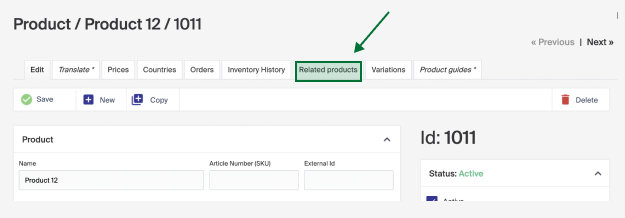
On the product you want to enhance, click the Related products tab.
Find the products to connect with by searching in the Add Products box, and click the green plus sign to add them.
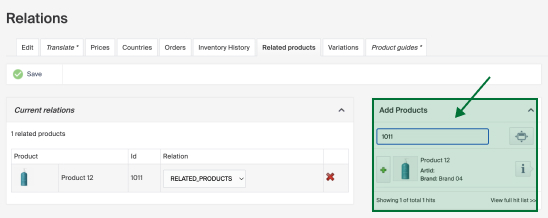
Choose the relation type for the products. Which relationship types exist may vary depending on how your system is set up. Once you've made your selections, click Save.
Example of usage
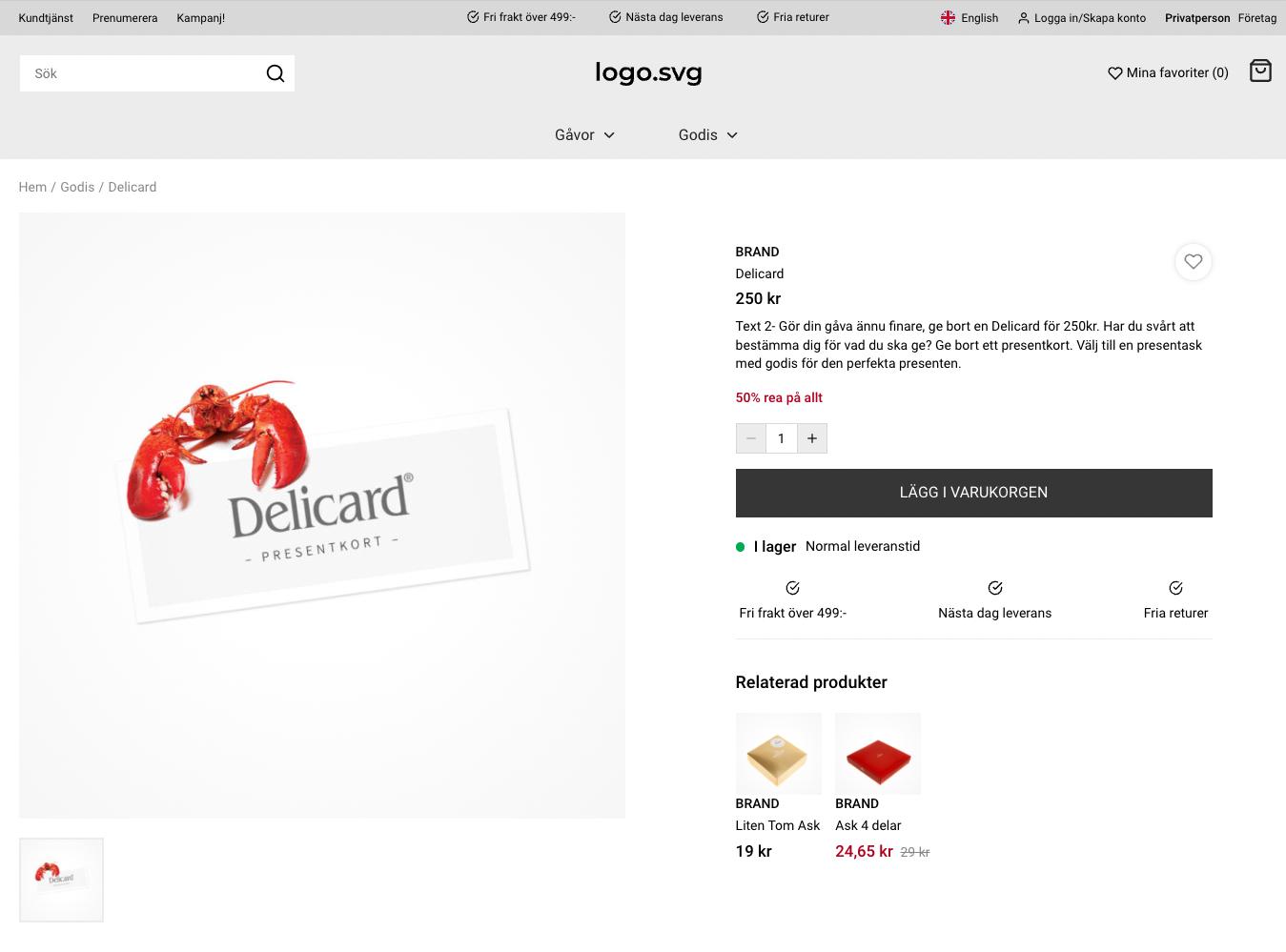
Related products can be displayed in your store, for example on the product card of the product you enriched with one or more connections.
Product monitoring
Product monitoring lets end customers get an email when a product is back in stock. It requires the store to be configured so products with 0 inventory balance are still shown.
How to Create a Variant Group in Merchant Center
Variant groups let you group products with different options (for example material or color). Follow these steps to create and manage a variant group.