Other Product Functionality
Inventory history
Under the Inventory History tab, you can access a chronological record of how a product's inventory has changed, including when changes were made, how large they were, and who made them.
Key features
- View a chronological record of a product's inventory changes
- See when each change was made, how large it was, and who made it
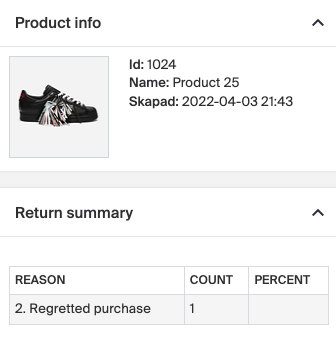
- Review a summary of returns, including quantities and reasons
Quick guide
- Open the product.
- Go to the Inventory History tab.
- Review the inventory changes and the returns summary.
The Inventory History tab shows a chronological record of how a product's inventory has changed, including when changes were made, the extent of those changes, and who made them.
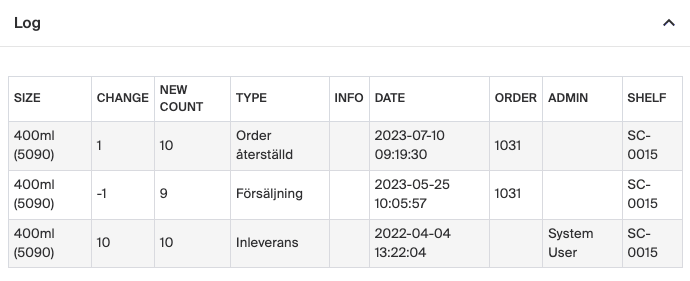
A summary of returns is also available, showing the quantity of items returned and the reasons for those returns. This gives a comprehensive view of the inventory's past and its management.