Show products from a campaign in a product list widget
Key features
- Highlight a campaign's products in CMS content, such as the start page, a stand-alone page, or a content area
- Use the Product list widget to pull products from a specific campaign
- Optionally choose products manually
Quick guide
- In the CMS, open the page you want (for example the start page) and add a 1 column block.
- Add a Product list widget to the block.
- In the Campaign dropdown, choose the campaign.
- Click Save, then Save and Publish.
In the CMS, go to the page you want to add a content block with campaign products to, for example the start page. Start pages are under Content (CMS) > Start page.
Add a new 1 column block by dragging a block from the Library and dropping it into position on the page.
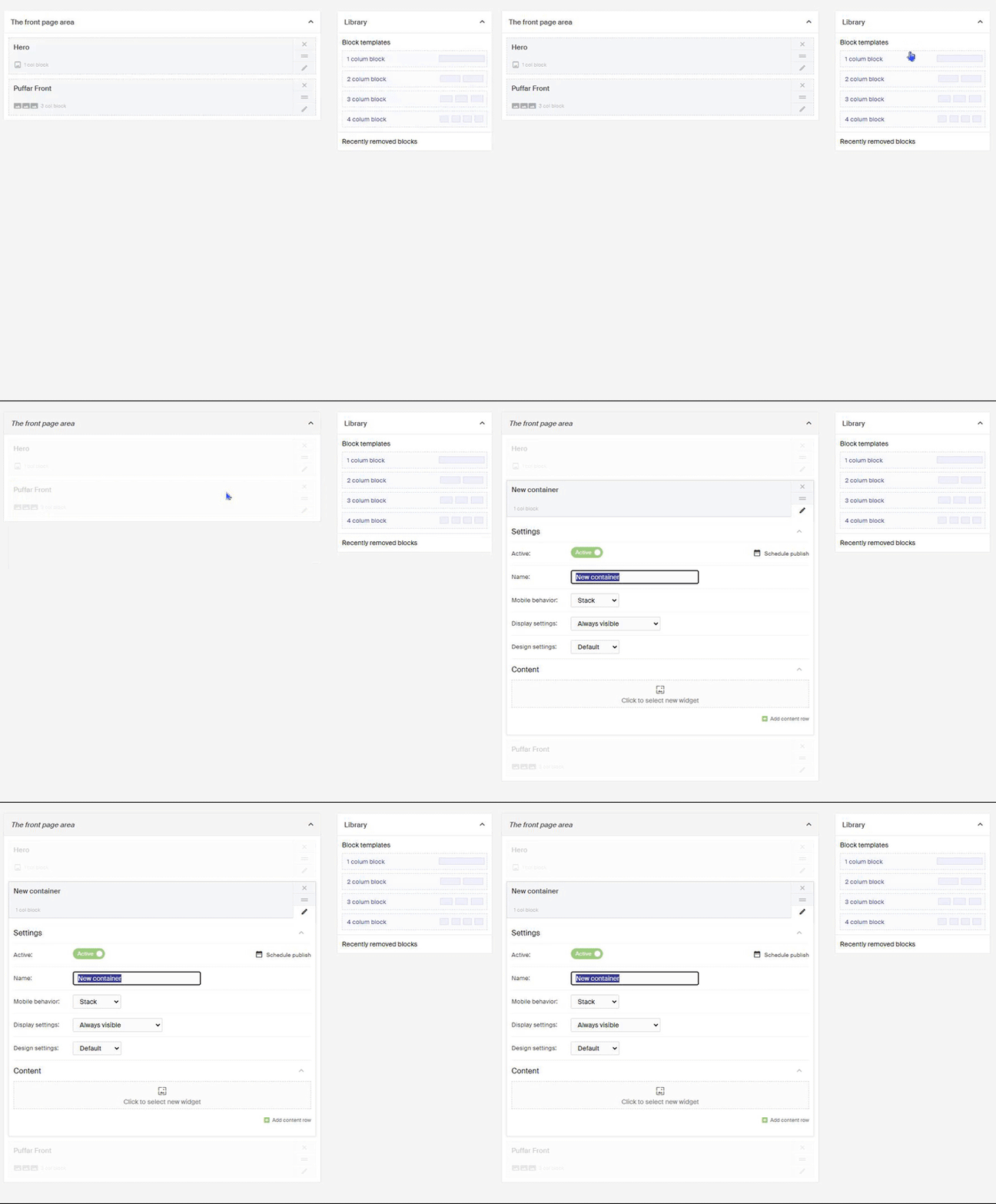
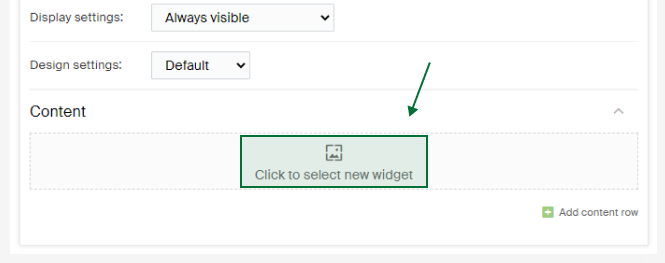
Name the block and set the settings you want. Click Click to select new widget and choose the Product list widget.
In the Campaign dropdown, choose the campaign you want to show products from. You can also choose products manually under the Manually tab.
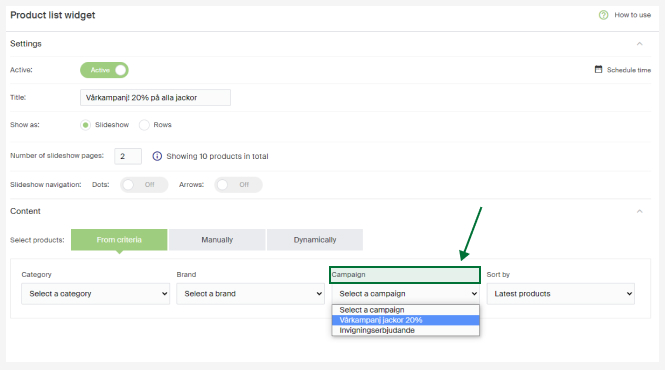
When you have chosen the products, filled in the heading (optional), and set the settings you want, click Save.
To publish the start page with the new product listing, click Save and Publish.
Processing returns for bundled product promotions (3 for 2)
When a customer wants to return part of an order with a 3 for 2 campaign, handle it under Handle returns in Warehouse (WMS).
Add a content page (Stand-Alone collection)
Create stand-alone pages in Geins Content (CMS), from informational pages to campaign pages.