Filter through orders with specific campaign
Key features
- Filter the orders list by campaign name
- Show the Campaign name column via column options
- Export the filtered list to Excel
Quick guide
- Go to Warehouse (WMS) > Orders.
- Make the Campaign name column visible via column options.
- Right-click the Campaign name heading and enter the campaign name.
- Optionally click Export to get an Excel file.
Go to Warehouse (WMS) > Orders.
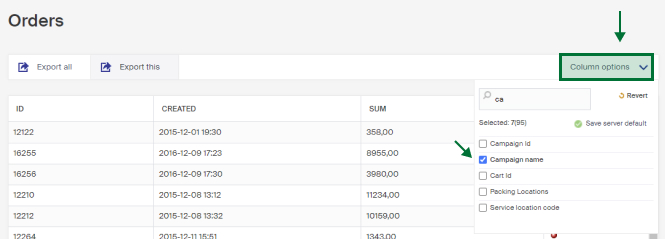
In the list, you can filter the columns by right-clicking a column heading. To filter on campaigns, the Campaign name column must be visible. If it is missing, show it via column options at the top right.
Right-click the Campaign name column heading and enter the name of the campaign or campaigns you want to filter the order list by.
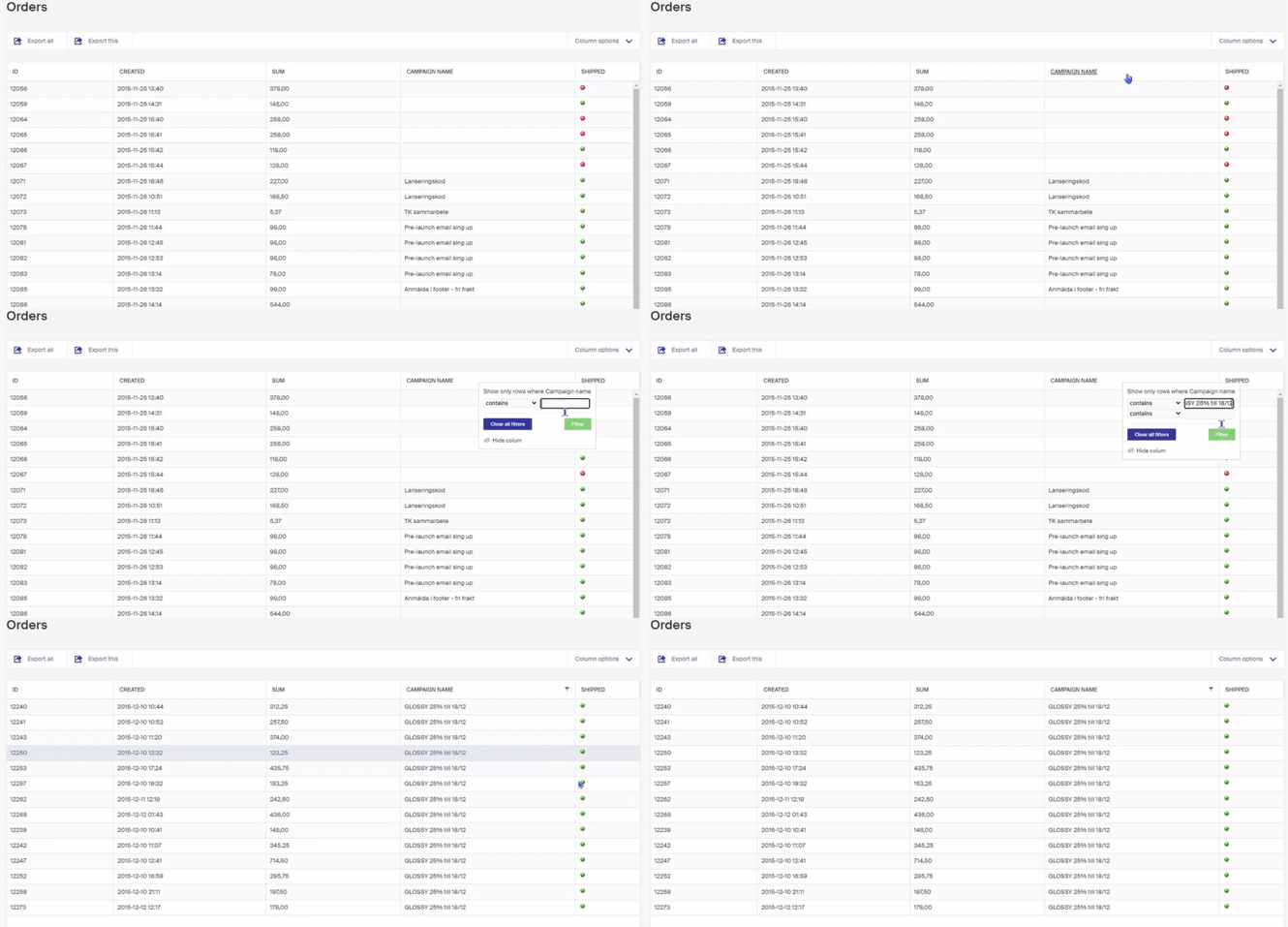
To export the filtered list to Excel, click the Export button.
Create campaign pages
Two ways to collect and show a campaign and its products on a campaign page, a landing page on the campaign or a stand-alone page in the CMS.
Processing returns for bundled product promotions (3 for 2)
When a customer wants to return part of an order with a 3 for 2 campaign, handle it under Handle returns in Warehouse (WMS).