General Settings For Content Management
Filter settings for Content
Filter your content depending on the type of content area you are working on, to show the right content in the right place.
Key features
- Filter content based on the type of content area you are working on
- For a product list, create content around a specific category or brand
- For a product, search and select the specific products to enrich
Quick guide
- Click Edit filter.
- Select the categories, brands, or products to create content around.
In Geins CMS you can filter your content depending on the type of content area you are working on. For example, when enriching a productlist, you can create content around a specific category or brand, making the category more attractive and letting you show the right content at the right time.
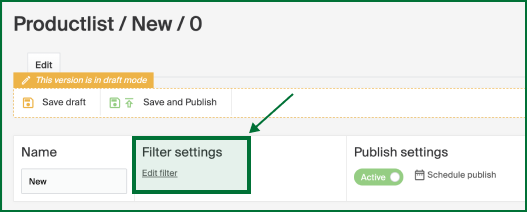
Start by clicking Edit filter.
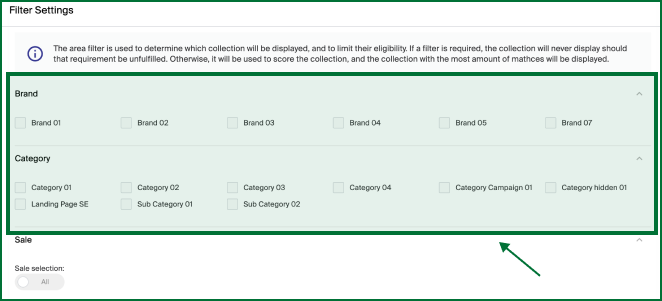
Select the categories or brands you want to create content around.
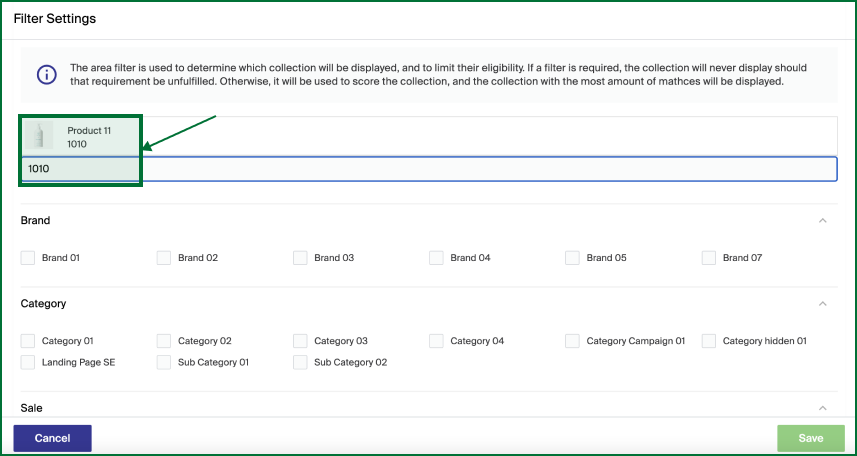
When enriching a specific product or products, you can search and select the products you want to create content around.