General
Customer Count
Navigate and manage your customers from the Customers (CRM) view in Merchant Center.
Key features
- Customers are registered automatically once they complete an order or create an account
- Each customer gets a profile on their first order
- View all customers and their order counts in one grid
- Filter and customize columns, for example by order count, name, or latest login
Quick guide
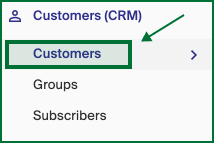
- Go to Customers (CRM) in the left menu.
- View all customers and their order counts.
- Filter or customize the columns as needed.
In Merchant Center, open Customers (CRM) in the left menu. Customers are registered here automatically once they complete an order or create an account, and each customer gets a profile on their first order. If a customer does not finish creating a password, you can still access their details under Customers.
This view gives you an overview of all customers and their order counts. Like other grid views in Geins, you can filter and customize the columns displayed. For example, filter by Order Count to find customers who have placed multiple orders, or filter by name or latest login to refine your search.
