Consents in Geins Merchant Center
Consents are a crucial tool to help organizations comply with GDPR regulations. When a customer places an order, various types of consents are generated, each valid for a specific period of time. As the consent period nears its expiration, it becomes necessary to decide what actions should be taken with the stored personal data. This may involve anonymizing orders, deleting data from external systems, and other appropriate measures. Once these actions have been implemented, the expired consents can be marked as "processed." This features can be found under the Customer (CRM) section of Geins Merchant Center*.
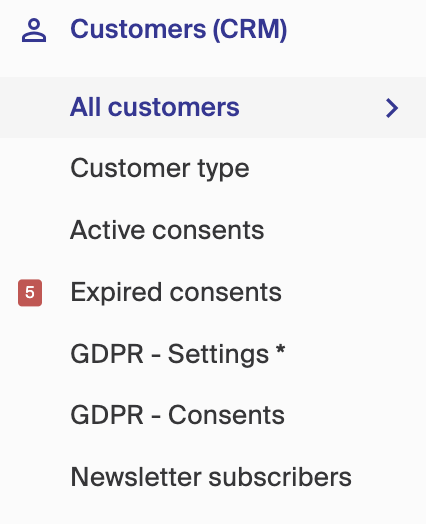
Active consents: On this page, you will find a comprehensive list of all the active consents for each site. Simply click on a consent to view more details and mark it as processed.** Expired consents:** This page displays all the expired consents for each site that require processing. Click on a consent to access its details and mark it as processed.** GDPR - Settings:** This page contains the general settings for consents per site. Here, you can specify the validity period in months for each consent, set the number of days before expiration for admin notifications, define the duration for an order to be considered active, provide a callback URL for consent changes, and control whether customers can remove themselves through the "My Pages" section.** GDPR - Consents:** This page provides an overview of all the different types of consents available for each site. These consents are assigned to users upon creation in the shop. Additionally, you can manage the creation of consents related to newsletters and order terms from this page.
- The consent features are not included in the standard features of Geins Merchant Center. However, they are available as an add-on that can be purchased and implemented. For pricing information, please consult your agency. However all sites running on Geins platform is GDPR compliant.*
Create parameters and parameter groups
How to create parameters and parameter groups that need to be in place to be able to give products different characteristics and filtering attributes.
Create customer group
A customer group makes it possible to give a % discount of an entire assortment of a specific selection of customers. If a customer is in a customer group then it's required for the customer to be logged in to see and take part of the discounted prices in the store. You can even read in price lists to the different customer groups and create specific content e.g start pages in the CMS for a specific customer group