Products And Pricing
Multilingual and multi-currency support on campaigns
If you support multiple languages and currencies, you can configure campaigns for all your currencies within the same campaign creation view.
Key features
- Name campaigns in different languages from the same creation view
- Set specific campaign prices per currency
- Import products in multiple currencies from one file
- Create language-specific landing pages
Language and campaigns
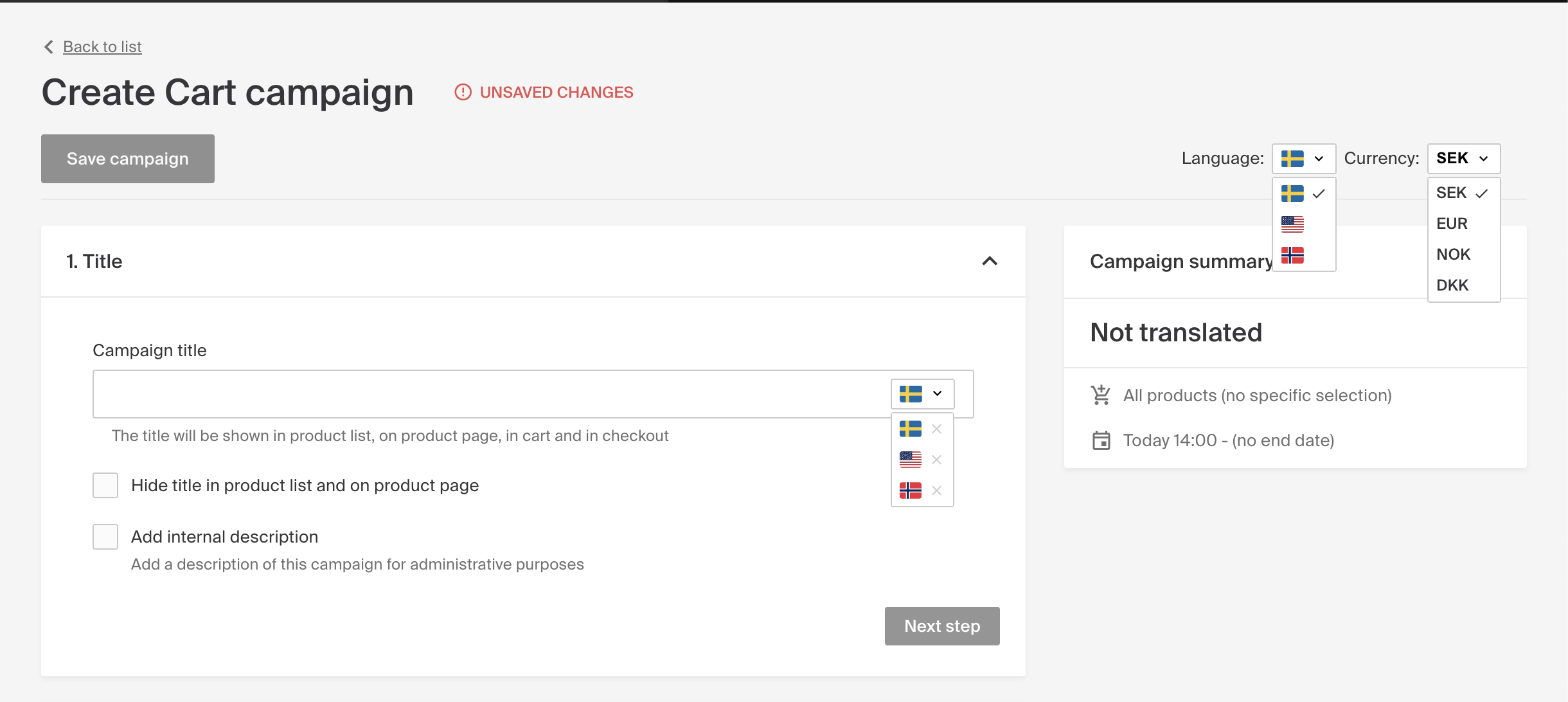
In the top-right corner, you can switch between supported languages and currencies. This is especially helpful when creating campaigns for multiple markets.
- Use the language toggle to name campaigns in different languages, so they appear in each market with the correct language.
- Switch languages when creating or editing campaigns using the dropdown next to the campaign title field.
Currency and campaign pricing
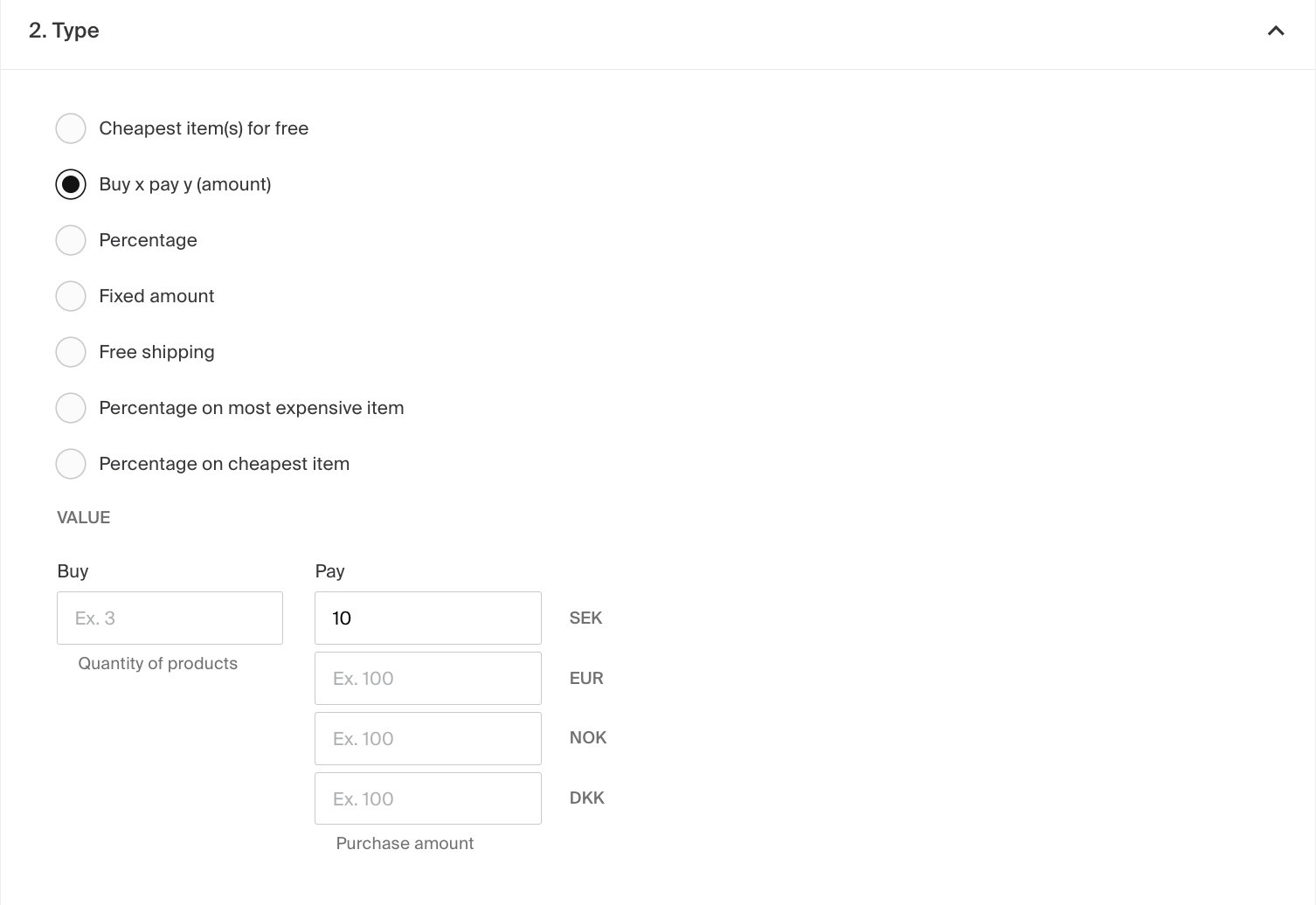
- If you support multiple currencies, set specific prices for each one. For example, a campaign where customers pay 10 SEK, 1 EUR, or 10 NOK depending on their currency.
- Leave the boxes blank if the campaign doesn't apply to a certain market or currency.
Import products with multiple currencies
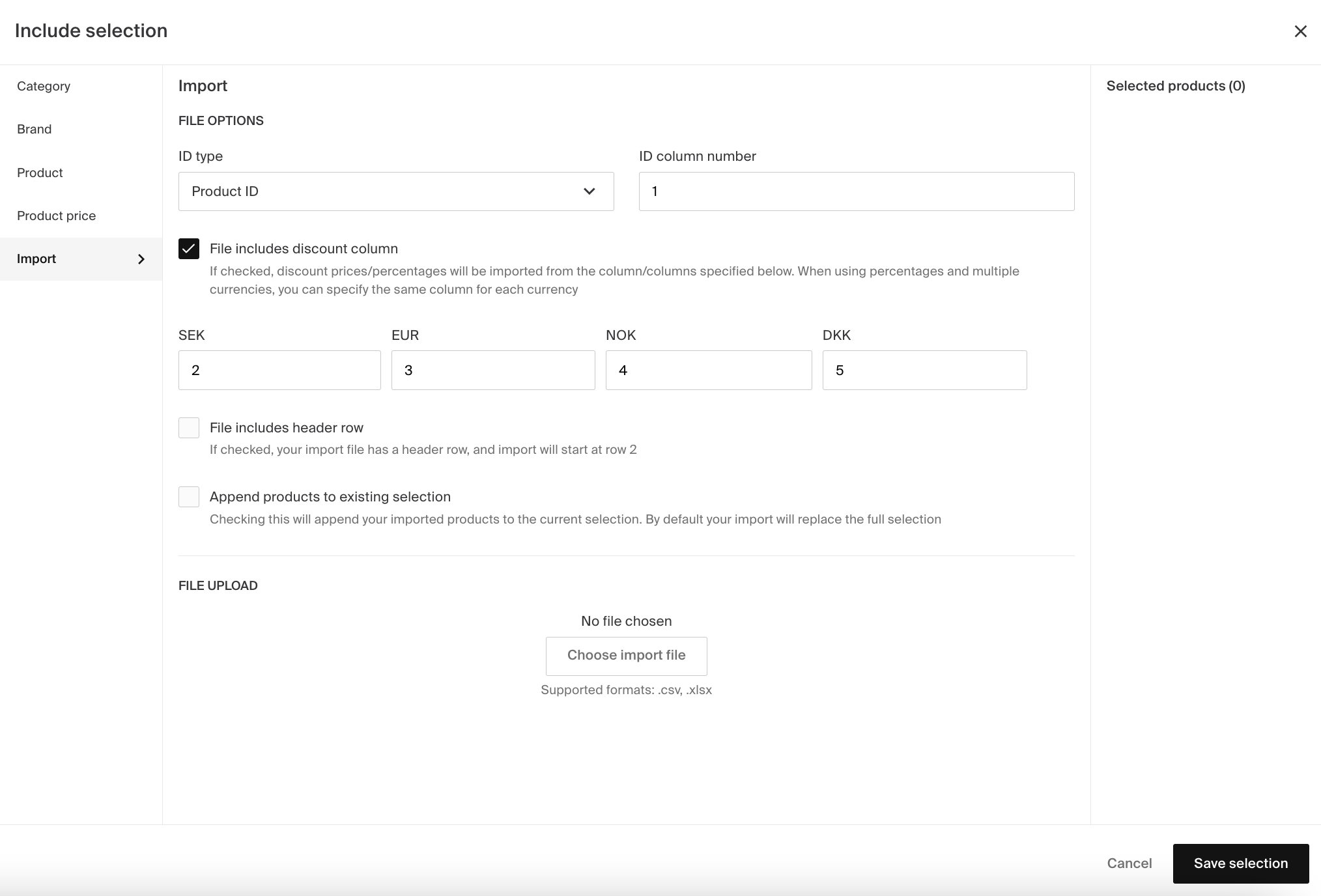
You can import products into the campaign in multiple currencies from the same .csv or .xlsx file. Specify the column where the discount price in percentage is located for each currency, and add the column number in the boxes.
Creating language-specific landing pages
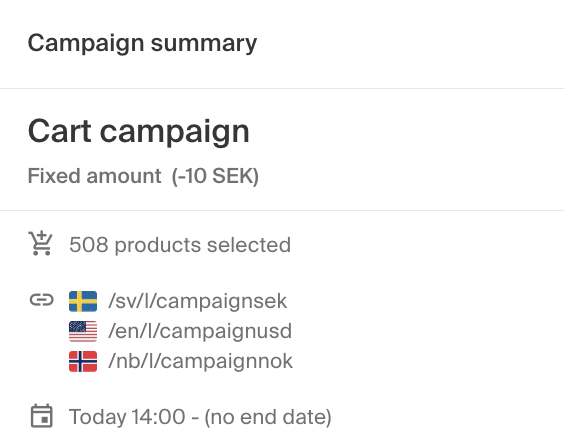
- Create unique landing pages for each language by specifying a language-specific URL.
- Set the page title and a descriptive text shown under the headline in the store.
- Use the flag dropdown to switch between languages. If you don't set a title in another language, a landing page won't be created for that language.
- Once your landing pages are set, find the different URLs under the Campaign Summary.
Managing product prices for multiple currencies
If your webshop supports multiple currencies, manage product prices for each currency under the Prices tab on a product page.
Creating language specific CMS content
In Geins CMS, you can publish content based on the language your storefront uses, such as different start pages for each language.