General
Default metadata
How to manage default metadata in Merchant Center.
Key features
- Set default metadata for pages without specific metadata assigned
- Global Default Meta for all pages without specific metadata
- Specific Default Meta for categories, brands, and products, per channel and language
Quick guide
- Go to Settings > Metadata.
- Select the meta set you want to edit.
- Enter the default metadata and save.
In Merchant Center, you can set up default metadata for pages that don't have specific metadata assigned. There are two types:
| Type | Description |
|---|---|
| Global Default Meta | Used for all pages without specific metadata. |
| Specific Default Meta | For categories, brands, and products, with separate setups for each channel and language. |
Where to find default metadata
Go to Settings > Metadata. You see a list of all available default meta sets for different channels and languages.
How to edit default metadata
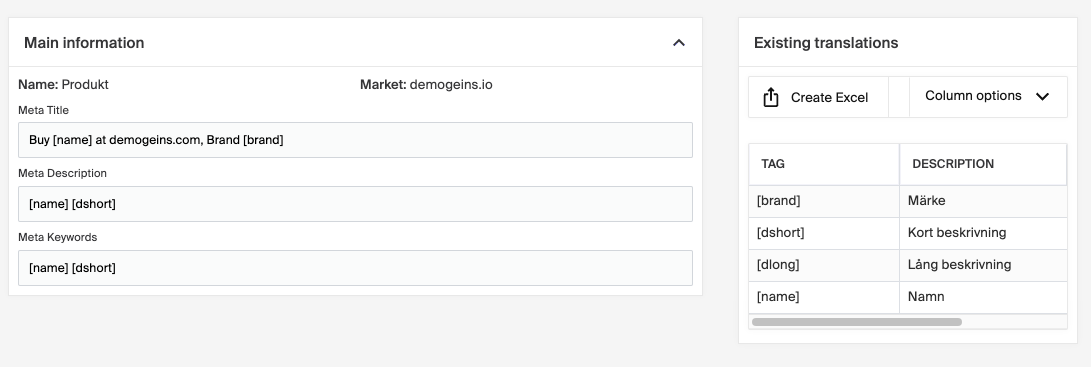
- Select the meta set you want to edit.
- Enter the default metadata you'd like to use.
Using default metadata ensures every page, product, or category has consistent meta information.