General
Where do I find my feeds?
You manage the feeds on the product view
In the PIM section, on a product page, you'll find the "Feeds" box. This box contains the configured feeds. Here's what you can do:
- On Sale: Check this to include the product's discount price in the feed.
- Active: Check this to include the product in the active feed.
- Fetch: Download the active feed file.
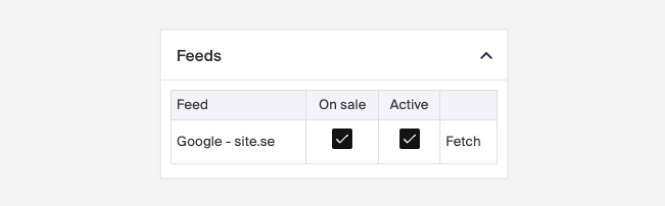
Any changes made will apply when the feed updates, which happens every hour.
Why can’t I see the columns in the Product List box on the product view?
The columns don’t appear because there is no "Product Item" in the product list. Click **"Add Product Item"** to make the fields available.
Can I revert an import that has been made?
It is not possible to restore an import that has been made.