General
Find an order in Merchant Center
Quickly find and manage an order in Merchant Center.
Key features
- Find orders quickly from the main search
- Filter the order list by any column
- Choose which columns are visible in the list
Quick guide
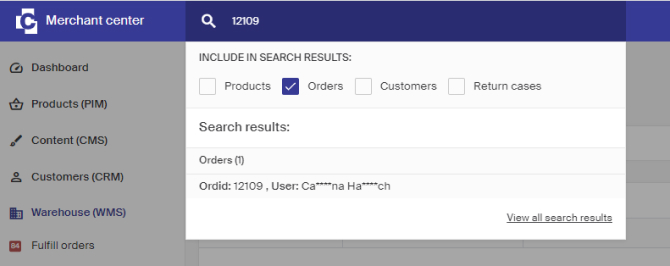
- In the main search, enter the customer name or order ID (tick only Orders for the most effective search).
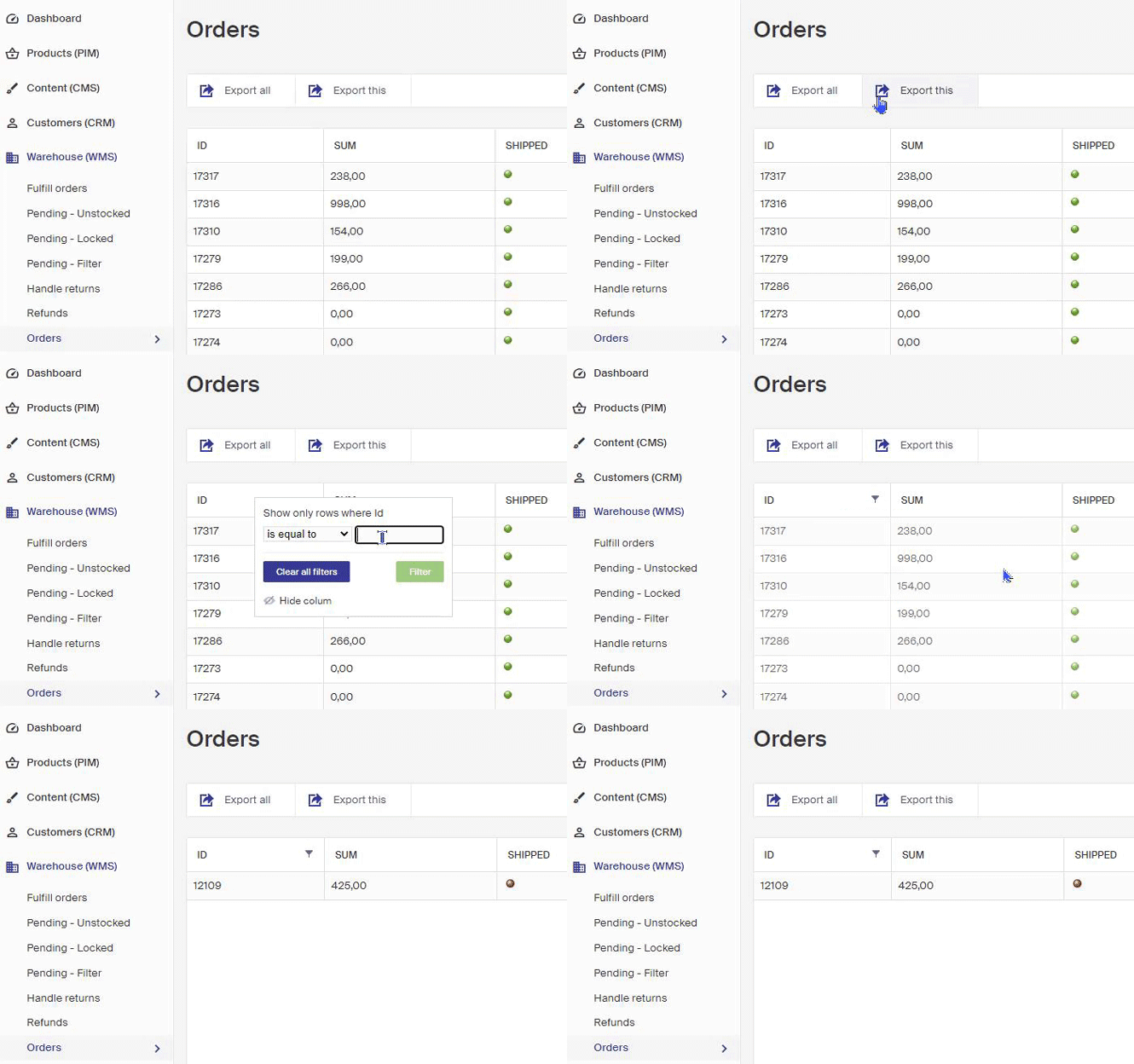
- Or go to Warehouse (WMS) > Orders and right-click a column heading to filter.
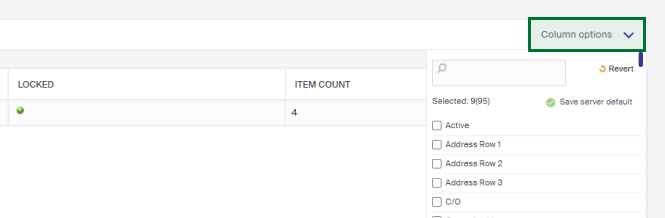
- Use Column options in the upper right to show or hide columns.
Search from the main search
In the main search, enter either the customer name or the order ID to quickly find current orders. Tick only Orders for the most effective search.
Filter the order list
- Go to Warehouse (WMS) > Orders in the left menu.
- Right-click a column heading to filter it. For example, right-click the Id heading and enter the ID you're looking for, the list filters to the matching orders.
Control which columns are visible with Column options in the upper right. There you can show or hide the columns you want to work with.
To clear all filtering, right-click a heading and click Clear all filters.